Monthly Budget Planner
Most budgets fall apart because keeping them alive is a chore. This one does the adding-up for you: log what you spend on one sheet, and the dashboard, category breakdown and year-long trend all update themselves. Pick a month to see it in focus, or read the whole year at a glance.
Built to do the work for you.
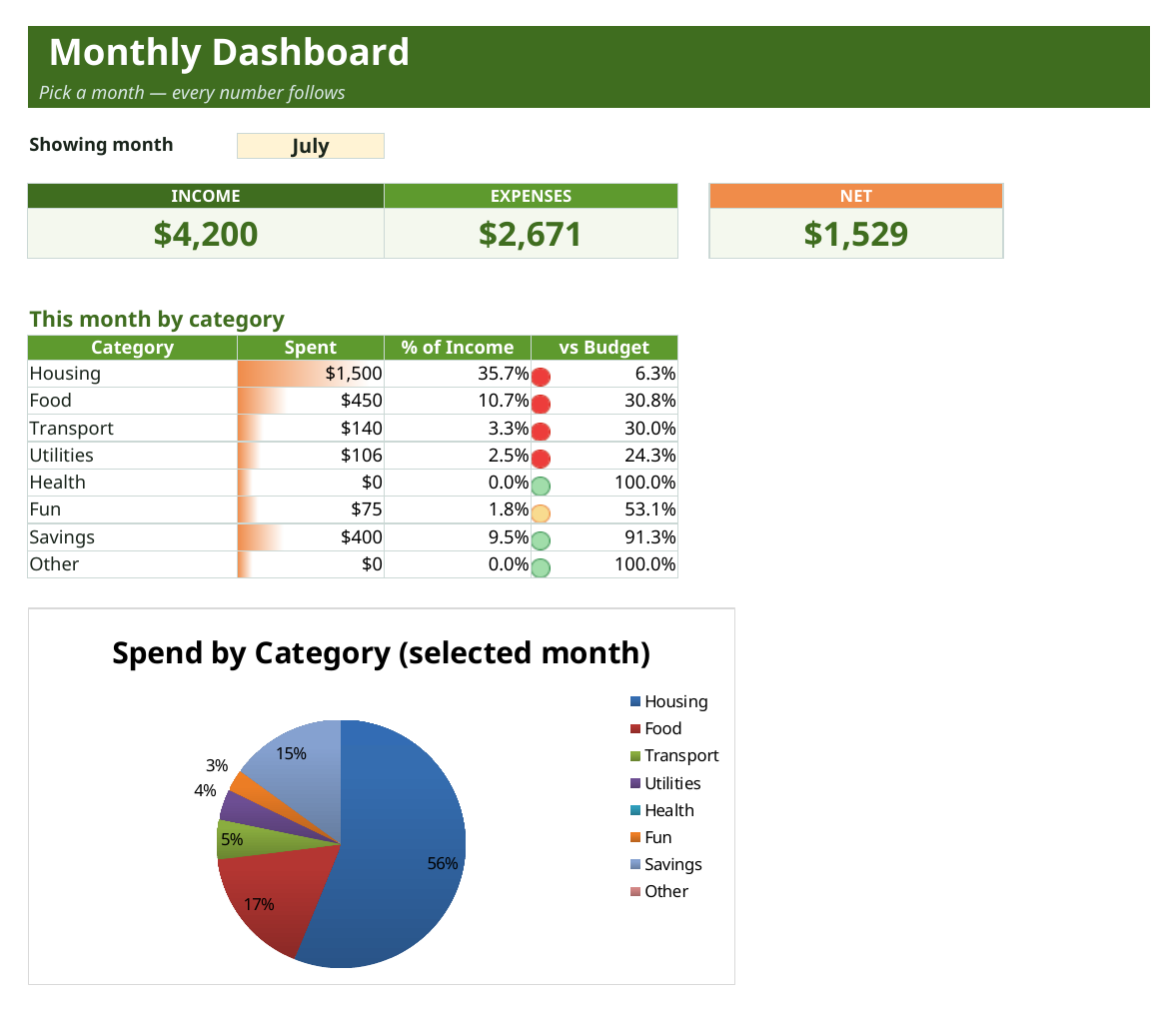
Live dashboard
Income, spend, and what's left — recalculated the moment you type.
Category charts
A donut of where it goes and a bar chart of the month's totals.
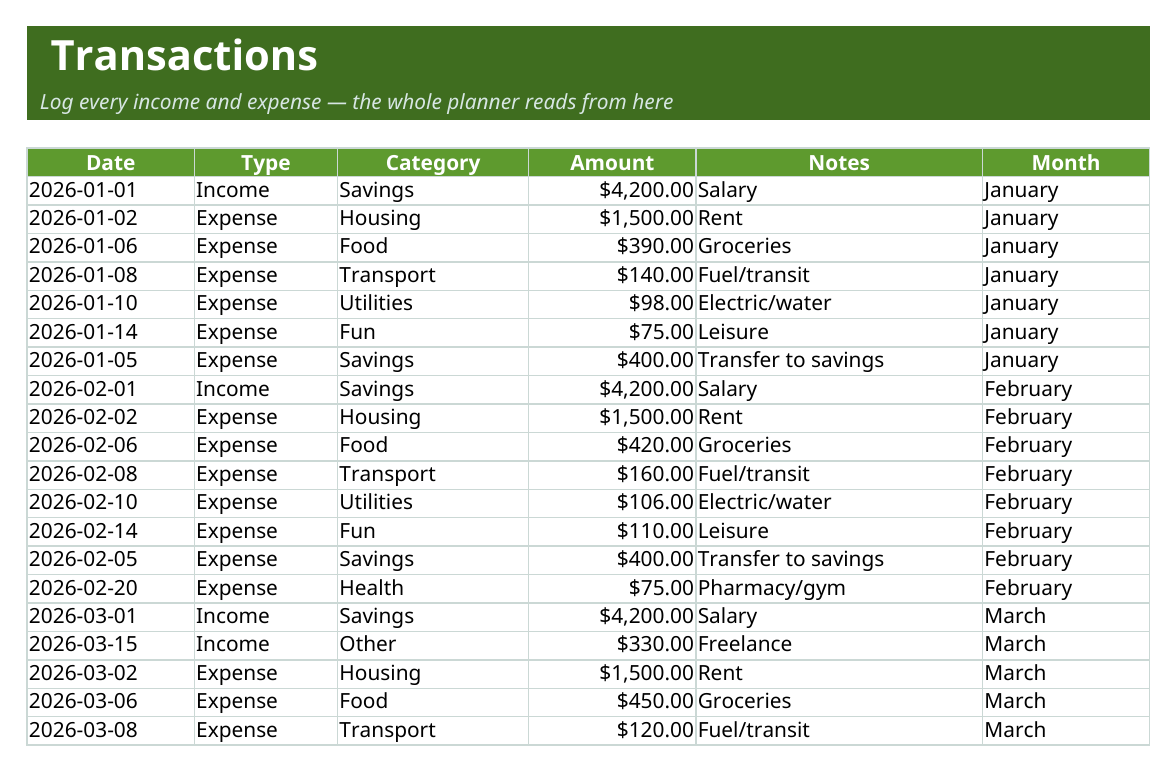
Auto-totals
Every category and the grand total sum themselves. No formulas to touch.
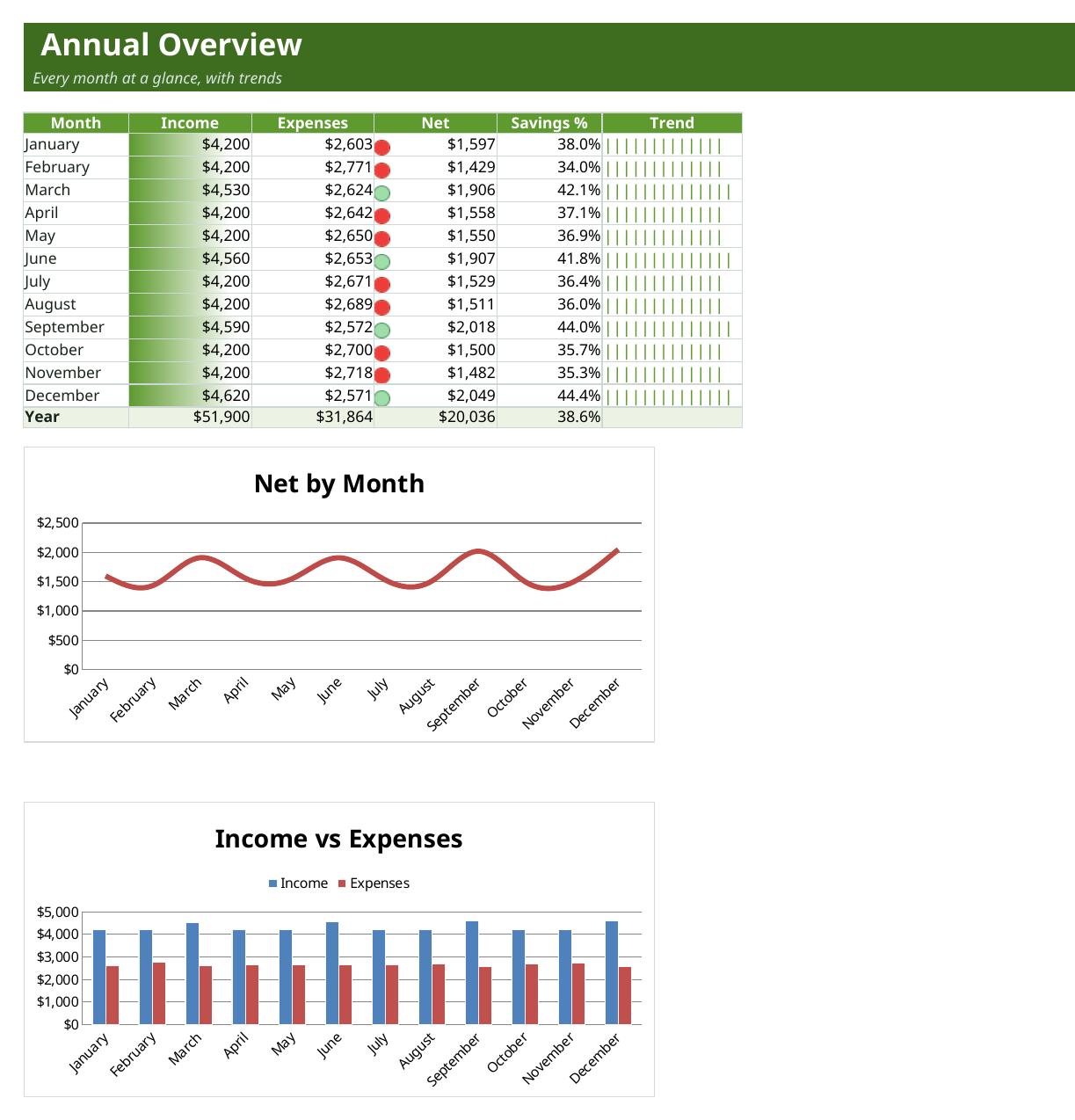
12-month view
Each month on its own tab, rolled up into a year-at-a-glance trend.
See it before you buy.
5 tabs, each doing one job well.
Anyone who wants to know where the money actually goes without babysitting a spreadsheet.
- Households getting a monthly budget under control for the first time
- Freelancers with income that changes month to month
- Anyone saving toward a goal who wants to see the trend, not just this month
What you get
- Dashboard + 12 monthly tabs
- Donut + bar category charts
- Sample data you can wipe in one click
- Print-ready layout
- Works in Google Sheets & Excel
Get the most out of it.
- Change your categories on the Settings sheet, not on the Dashboard, so every chart and dropdown stays in sync.
- The month selector on the Dashboard drives the whole page, leave the formulas alone and just pick a month.
- Clear the sample rows on the Transactions sheet in one selection, then start logging your own.
- Formulas are locked so you can't break them by accident, use Review then Unprotect Sheet (no password) if you ever want to tinker.
The details.
- Sheets
- 5 tabs (Start Here, Dashboard, Transactions, Annual, Settings)
- Charts
- 3 native charts (spend pie, income-vs-expense bar, net trend line)
- Formulas
- 290+ live formulas (SUMIFS, RANK, NPER, TEXT and more)
- Works in
- Google Sheets, Microsoft Excel and Numbers (.xlsx)
- Sample data
- A full year of example transactions, wipes in one step
- Delivery
- Instant, a private copy dropped into your Google Drive
- License
- Personal and business use, yours forever
Good to know before you buy.
Does this work in Microsoft Excel as well as Google Sheets?
Do the charts and totals update on their own?
Can I add my own spending categories?
Is this a subscription?
Will it mess up my existing budget?
How it works
Buy it
Check out securely through Paddle — cards, taxes, and receipts handled.
Copy to your Drive
One click drops your own private copy of “Monthly Budget Planner” into Google Sheets.
Make it yours
Wipe the sample data, add your own, and you're off. It never expires.